ME-Link / Smart Links
QR Code Generator For Short Links
Create a short link and instantly generate a downloadable QR code for it. For advanced QR customization and management, use ME-QR.

What Is A QR Code Generator For Links?
A QR code generator for links turns any URL into a scannable QR code. With ME-Short-Link, you can create a short link, generate a QR code for it, and download it for online or offline use.
How To Create A QR Code For A Link
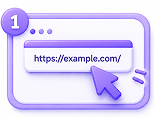
Paste your destination URL on the main page
Go to ME-Short-Link and enter any URL into the shortener form.
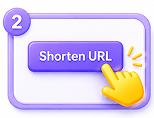
Generate a short link and QR code
Your short link and QR code are created together in one step.
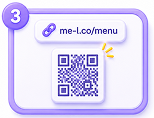
Download or share your QR code
Download the QR code image to use on digital or printed materials.
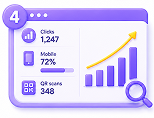
Use it online or offline
Place your QR code anywhere — on screens, in print, or on packaging.
Why Use QR Codes With Short Links?
QR codes help connect offline users with online content. When a QR code is connected to a short link, you can share one compact link online and use the QR code offline.
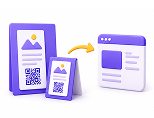
Connect offline to online
Use QR codes on posters, menus, flyers, packaging, business cards, and printed materials.
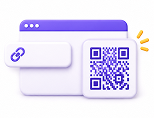
Short link included
Redirect users based on device type or operating system.
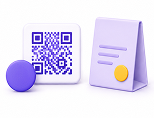
Download and use anywhere
Download your QR code and place it on digital or printed materials.
Need advanced QR tools?
Use ME-QR for QR code customization, management, advanced settings, and QR-focused features.
Track Performance Through Your Short Link
QR codes generated in ME-Short-Link lead to your short link, so link activity can be tracked through ME-Short-Link analytics. For advanced QR code management and QR-focused tools, use ME-QR.
 Track activity through the connected short link
 Use QR codes for offline-to-online traffic
 View link analytics in ME-Short-Link
 Use ME-QR for advanced QR code tools

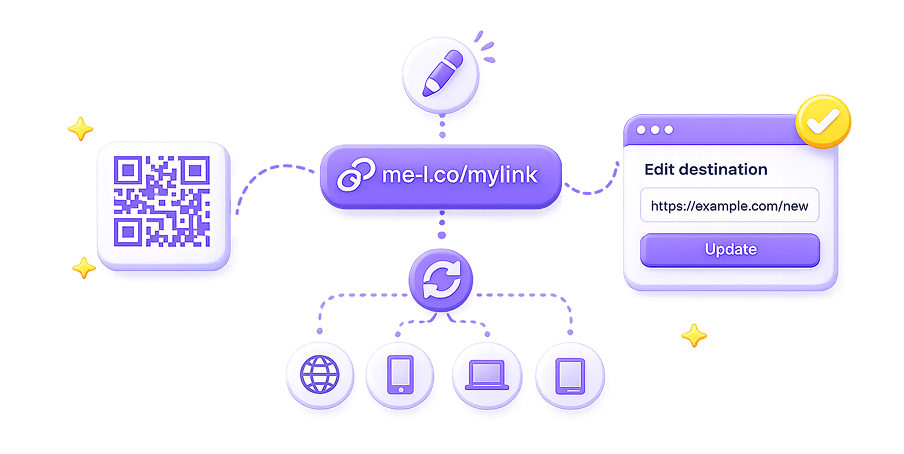
Connected To An Editable Short Link
The QR code generated in ME-Short-Link points to your short link. If you update the destination of that short link, users scanning the QR code will follow the updated link flow.
One Premium subscription For ME-Short-Link And ME-QR
ME-Short-Link is closely connected with ME-QR. Premium users get advanced features across both services: ad-free short links, smart redirects, analytics export, and access to ME-QR Premium tools for advanced QR code work.
ME-Short-Link
Create, edit, share, and track short links with QR code generation and built-in analytics.

ME-QR
Use ME-QR when you need advanced QR customization, QR management, file storage, API access, and QR-focused features.
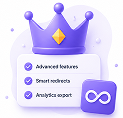
One Premium plan
Premium gives access to advanced features across both ME-Short-Link and ME-QR without managing separate subscriptions.
Need Advanced QR Features? Use ME-QR Premium
ME-Short-Link lets you generate and download QR codes for links. ME-QR Premium gives you advanced QR code tools for customization, management, analytics history, storage, and integrations.

QR customization
Route users based on device, country, or traffic rules.

More QR codes
Create up to 1,000,000 QR codes with ME-QR Premium.

Unlimited scans
Let users scan your QR codes without limits.

Trackable QR codes
Use ME-QR tools to manage and track QR code performance.

Analytics history
Access up to 3 years of analytics history for long-term performance tracking.

File storage
Use up to 500 MB of file storage for QR-related content and assets.

API integration
Connect QR code creation and management with your own systems using API access.

No ads
Premium removes ads from QR codes and short links.
Use QR Codes Anywhere
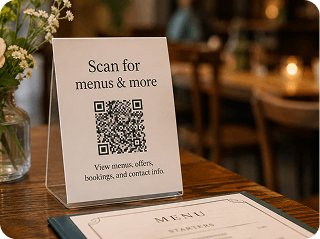
Restaurants and menus
Create QR codes for menus, offers, booking pages, or contact information.
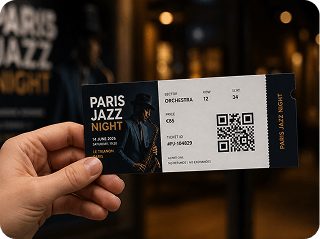
Events and tickets
Use QR codes for event pages, ticket links, registration forms, or check-in flows.
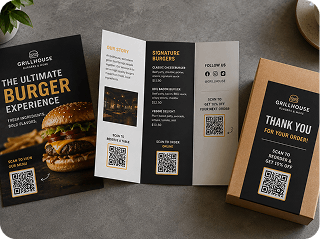
Marketing materials
Add QR codes to flyers, posters, brochures, packaging, and print campaigns.
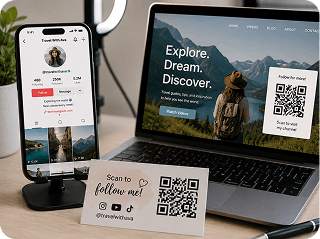
Social media and creators
Share QR codes that lead to videos, profiles, landing pages, or promotional links.
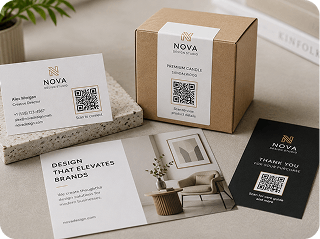
Business and sales
Use QR codes on business cards, presentations, product labels, and offline touchpoints.
ME-Short-Link QR Generator Vs ME-QR
Feature
Generate QR code for a short link
Download QR code
Short link included
Basic link analytics
QR customization
QR management dashboard
Advanced QR settings
File storage
API integration
Best for
ME-Short-Link
Fast QR for short links
ME-QR
Premium
Premium
Full QR code management
ME-Short-Link is best for quickly generating a QR code connected to a short link. ME-QR is best for advanced QR code customization, management, storage, and QR-focused campaigns.
Start Free. Upgrade Once For Links And Advanced QR Tools.
Generate QR codes for short links for free. Upgrade to Premium to remove ads, unlock smart link features, export analytics, and access ME-QR Premium tools for advanced QR code work.
Plan
Best for
Basic links and QR codes
One clean link or QR code
Full ME ecosystem
Key value
Generate short links and QR codes with ads
Remove ads from 1 selected link / QR code
No ads, smart redirects, analytics export, ME-QR Premium access
QR Code Generator FAQ
Can I create a QR code for a link?
Yes. Paste your URL into ME-Short-Link and generate a short link with a QR code instantly.
Is the QR code generator free?
Yes. You can create QR codes for links for free. Free links may include ads before opening the destination.
Can I download my QR code?
Yes. After generating your QR code, you can download it and use it online or offline.
Can I track QR code scans?
QR codes generated in ME-Short-Link lead to your short link, so activity can be tracked through ME-Short-Link analytics. For advanced QR code management and QR-focused analytics, use ME-QR.
Can I edit where the QR code leads?
The QR code points to your short link. If you update the destination of that short link, users scanning the QR code will follow the updated link flow.
Can I customize my QR code in ME-Short-Link?
Not yet. In the first release, ME-Short-Link allows you to generate and download a QR code for your short link. For QR customization and advanced QR management, use ME-QR.
Can I manage QR codes inside ME-Short-Link?
In the first release, QR codes in ME-Short-Link are generated for short links and can be downloaded. Advanced QR management is available in ME-QR.
Will QR customization be added later?
Yes. QR customization and displaying the link and QR code inside the ME-QR admin are planned for a future release.
What is the difference between ME-Short-Link and ME-QR?
ME-Short-Link is focused on short links, redirects, analytics, and quick QR generation for links. ME-QR is focused on advanced QR code creation, customization, management, and QR-specific features.
Does Premium include ME-QR features?
Yes. Premium gives access to advanced features across both ME-Short-Link and ME-QR, including ad-free links and QR codes, analytics tools, and advanced QR management features.
What ME-QR features are included with Premium?
Premium includes advanced ME-QR features such as more QR codes, unlimited scans, trackable QR codes, analytics history, file storage, API integration, and no ads.
Do I need separate subscriptions for ME-Short-Link and ME-QR?
No. Premium is designed as one subscription for advanced features across ME-Short-Link and ME-QR.
Can I remove ads from QR code links?
Yes. Lite removes ads from one selected link, while Premium removes ads from all links and unlocks advanced features.
Create A QR Code For Your Link Today
Paste your URL, generate a short link and QR code, then download it for online or offline use.